 Become A Jaguar
  Request Info
  Apply
Apply  Get Game Tickets
 Transactions Process
All transactions processed through the Transact eMarket Online Store will be posted to Canopy/FAMIS account. The Financial Department will review and confirm your transactions.
Card readers are available for checkout; however, requests must be submitted at least four to five business days in advance. Funds collected through the Transact eMarket Online Store will be deposited into the account associated with your organization.
Please note that the Canopy/FAMIS account format is:
Account Information
- Organization: Name
- Account Number: 000000-00000-0000
- Responsible Person: Staff
The last four digits identify the transaction type. The Financial Department requires this information because different transaction types use different accounting codes.
Before selling any items through your store, please send an email to emarket@tamusa.edu with information about the products or services you plan to offer. This will help ensure that funds are deposited into the correct account in real time.
Please also keep in mind that both the Financial Department and Student Business Services typically require 4 to 5 business days to process requests, answer questions, or provide assistance.
Information About the Transact eMarket Online Store
1. Questions and Support
For questions regarding the Transact eMarket Online Store, please contact:
emarket@tamusa.edu
2. Required Training (PCI 11013 and Cash Handling 2111772)
Staff can do training on SSO - Train Traq
Students can do training in Gateway - Link and Password information below
TrainTraq External Gateway:
https://traintraq.tamus.edu/External/ExternalGatewayLogon.aspx
Login: Student Email
Password: Password needs to be requested from emarket@tamusa.edu
3. Jira Request Links
Identity & Access Management
(Request access to the Transact eMarket Online Store)
https://tamusa.atlassian.net/servicedesk/customer/portal/29/group/62/create/1239
Agency Card
(Agency Card needs to be update every Semester for Student Organizations and staff members)
https://tamusa.atlassian.net/servicedesk/customer/portal/24/group/53/create/7767
iPad and Terminal Request
(Card readers are available for Student Organizations and staff members)
https://tamusa.atlassian.net/servicedesk/customer/portal/24/group/89/create/5002
Student Organizations: Deposit funds in your FAMIS account
(Use this request to deposit funds into your FAMIS account)
https://tamusa.atlassian.net/servicedesk/customer/portal/24/group/53/create/7689
Student Organizations: Request cash from your FAMIS account
(Use this request cash from your FAMIS account for e.g. event expenses)
https://tamusa.atlassian.net/servicedesk/customer/portal/24/group/53/create/3627
Please include the following information in your ticket:
- Department name
• Expected amount
• Source or payer
• Purpose/description of the check or deposit
• Expected receipt date
• Any relevant reference or account information
Providing this information in advance helps us identify incoming funds quickly and ensures they are processed and posted to the correct account in a timely manner.
4. Microsoft Teams Access
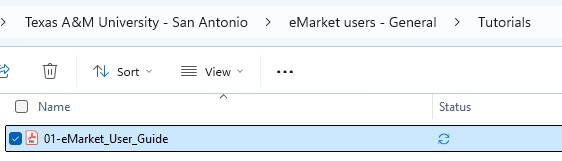
You will also be granted access to the Microsoft Teams eMarket Users group, where you can find tutorials and training materials in the Tutorials folder.
5. Transact eMarket Online Store
You will also be granted access to the Transact eMarket Online Store, where you will be receiving multiple emails to login & password.
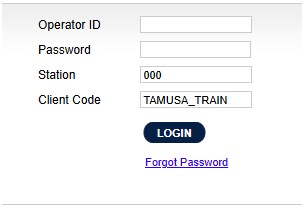
TRAIN
(Use this link to login to TRAIN and to test anything in your eMarket Store)
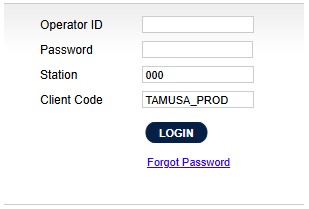
PROD
(Use this link to login to PROD and to update, add or make changes in your eMarket Store)